Home / Visipal
Visipal Browser Extension
Visually impaired children face significant barriers in online learning due to restrictive web design. Recognizing this gap in accessibility, I collaborated with two designers to create VisiPal: a browser extension that transforms any website into a personalized learning environment by adapting display, structure, and reading tools to each child's needs.
Role
Product Designer
Timeframe
7 Hours (July 2025)
Team
2 Designers


The Problem
1 in 10 children experience some form of visual impairment
Behind this statistic are students struggling to engage in lessons designed for sighted learners. Without proper support, learning gaps compound into diminished self-esteem and fewer educational opportunities.

Blurry Vision
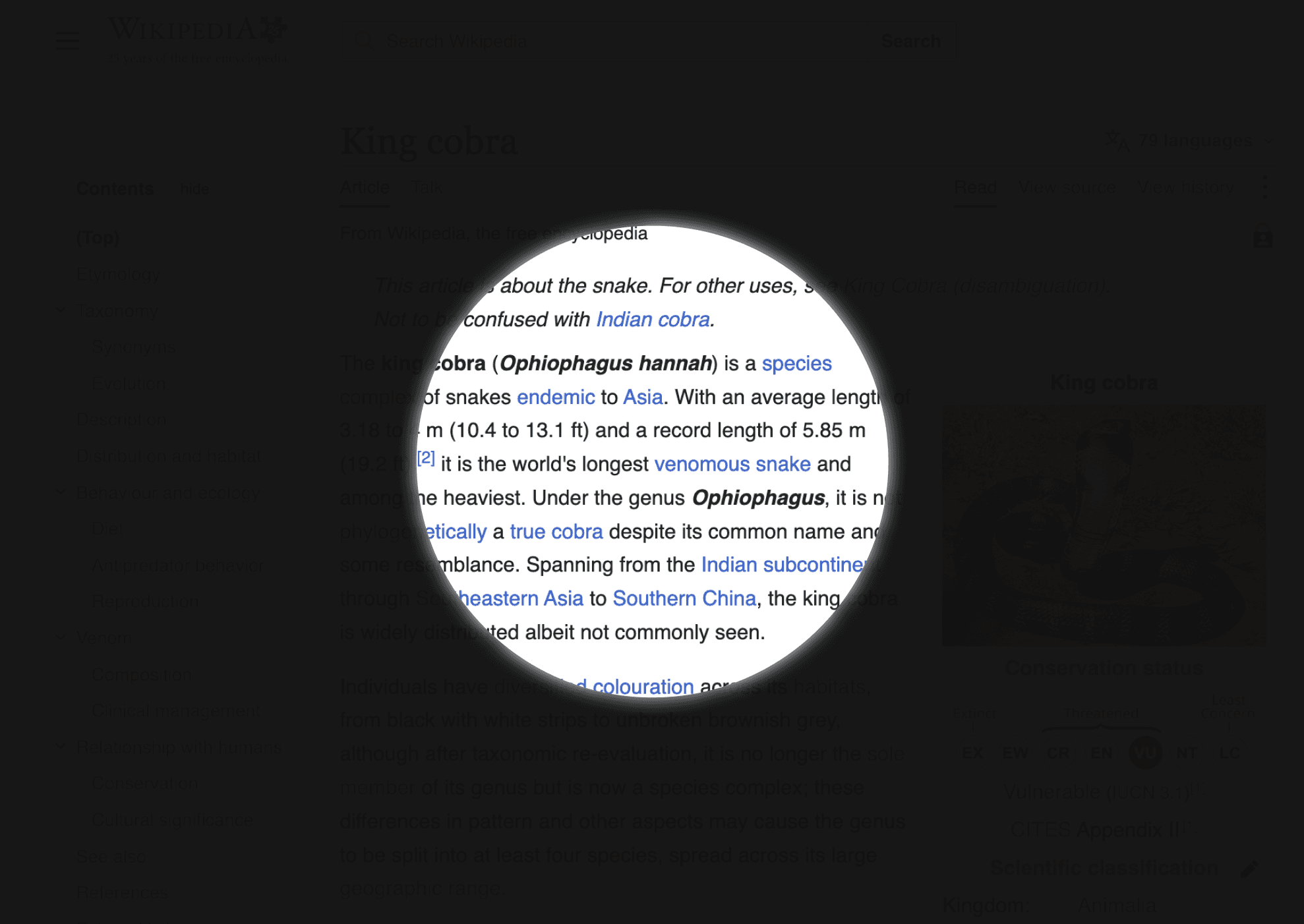
Narrowed Field of View

Low Contrast Sensitivity
As schools adopt digital learning tools, a critical barrier emerged…
The internet serves as the primary resource for research and reading, yet most websites don't account for diverse visual needs. The very technology meant to democratize education has instead created new forms of exclusion.

The barrier is well documented but still unsolved
User Research
A cycle of discomfort, frustration, and disengagement
To assess the needs of visually impaired students, we analyzed existing accessibility solutions. The focus went beyond needs to impact: how inaccessible pages affect comfort, confidence, and ultimately how much a student learns.
Standard web overlooks how differently each child sees, making reading a hassle.
Workarounds like magnifiers or filters are restrictive, only fixing one barrier at a time.
Learning takes more effort, so students read less, retain less, and gradually disengage.
Ideation
Where should accessibility live?
Research revealed that students need accessibility support across diverse reading environments. Before defining features, we evaluated two delivery approaches based on the most common sources students use.

LMS Integration
Building features into LMS platforms would limit students to reading only the materials their teachers upload.
The open web would stay inaccessible and rollout would depend on each school adopting the platform.

Chrome Extension
A Chrome extension integrates into the student’s browser, applying features to any site without interrupting their flow.
One setup carries the same settings across every page, whether the source was assigned or found independently.
Iteration
Finding balance between easy access and minimal distraction
We researched different interfaces and selected three viable options: a full-width bar, a vertical panel, or a floating widget on the top right corner. Each approach offered unique advantages and trade-offs in terms of visibility, screen space, and ease of use.


Final Design
Introducing VisiPal: Customize the interface of any website
Setting up the extension
During onboarding, students can customize the font size, style, and line spacing, then select from colour themes optimized for different disabilities.
Transforming your reading experience
Whether navigating a history textbook chapter or researching for a science project, students can adjust their settings conveniently with the VisiPal widget.
Want to hear the full story?
Please reach out to me if you'd like to learn more! I typically share my complete research process and detailed design explorations in an interview setting or coffee chat.